Turn your Apple Watch
into your English speaking textbook.

It hears what you say all day — in 日本語, 한국어 or 繁體中文 — and tonight it teaches you to say it in English. Out loud.

Your sentences. Not a textbook's.

Coming soon to theApp Store
Free3 sentences a day, every day
Twicy ProTry 3 days free
Almost everything runs on your iPhoneTranscription, Voice ID and word-by-word scoring on device. Only sentence text goes out, to write your English.
Built to last the day12 hours of listening on Apple Watch, 55% battery left.

No account. No ads. No tracking.

Twicy + Apple Watch

Your day, in English tonight.

Twicy Today screen: two rings, Learn, Review, Wander, and today's sentences

Twicy

Learn English with what you say.

Coming soon to theApp Store
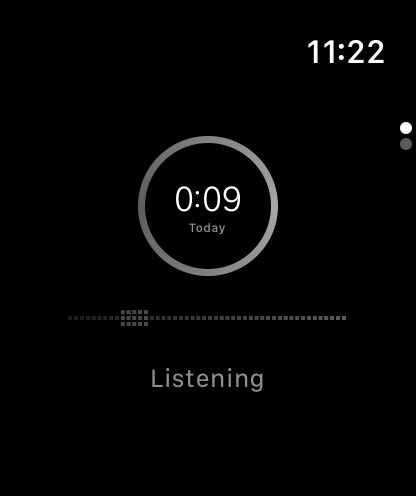
Twicy on Apple Watch: listening ring

Keep exploring ↓

Your words. Your English.

Twicy + Apple Watch

Hears it all, all day.

12 hours of listening55% battery left

Screen off. Listening on.

Keeps only the parts where someone is speaking.

08:00Speech kept · silence never written20:00
55%remaining
Listened 12 hours

Apple Watch · Twicy test, 4 Nov 2026
12 hours of continuous listening, battery 100% → 55%

Only your voice.Other people are dropped, not saved.

With Voice ID on, each sentence is checked against your voice on your iPhone. What other people said never becomes a card. Your voiceprint never leaves the phone.

Nothing extra to carry.Same watch. Same day.

Put it on and head out. No extra device to charge, no button to remember. Twicy shows on the watch face while it listens, and you can stop it any time.

A day, as you said it.

Your local time--:--

Said on your wrist.Learned in your hand.

Listen on the watch. Keep it on your iPhone.

9:41
0:00Today
Tap to start

Tap the watch to explore ↗

01 / TonightFrom the words you said to the English you'll say

21:40 · Home

Tonight, it's waiting for you.Two rings. New, and kept.

The inner ring is today's new sentences. The outer ring is the ones you learned before and kept today. Learn, Review, or Wander through everything you've said.

12:40 · Lunch

What you said.How they'd say it.

Each card is one of your own sentences, with the way a native speaker would naturally say it. Tap it, and Twicy reads it aloud.

授業のあと、なんか食べに行かない?You said this at 12:40.

Practice

Say it.Every word checked.

Look at your own sentence and say it in English. Twicy listens on device, lights up each word it hears, and scores the sentence. Then it schedules the next review so it sticks.

Timeline

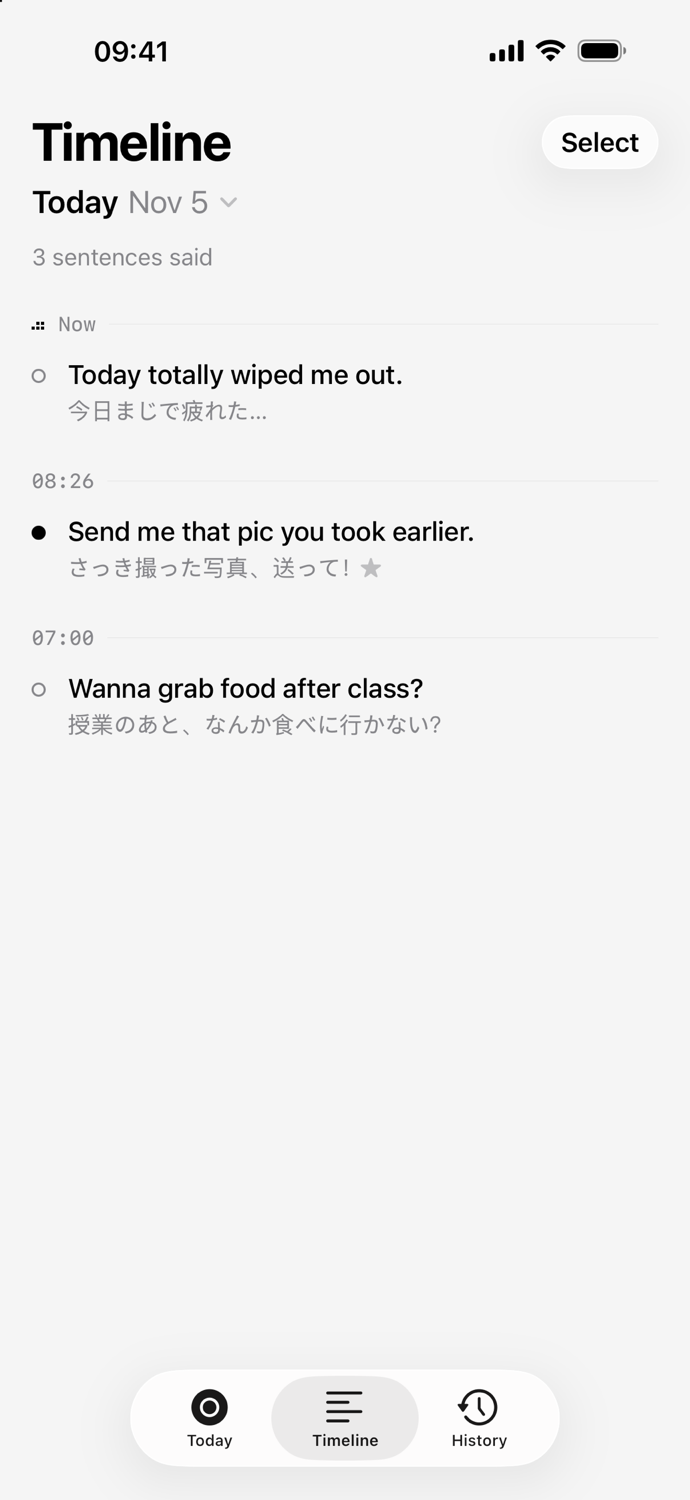
Everything you said,by the pause.

Your day, sentence by sentence, in your language and in English. The ones you've learned are filled in. Pick any sentence and learn it tonight.

History

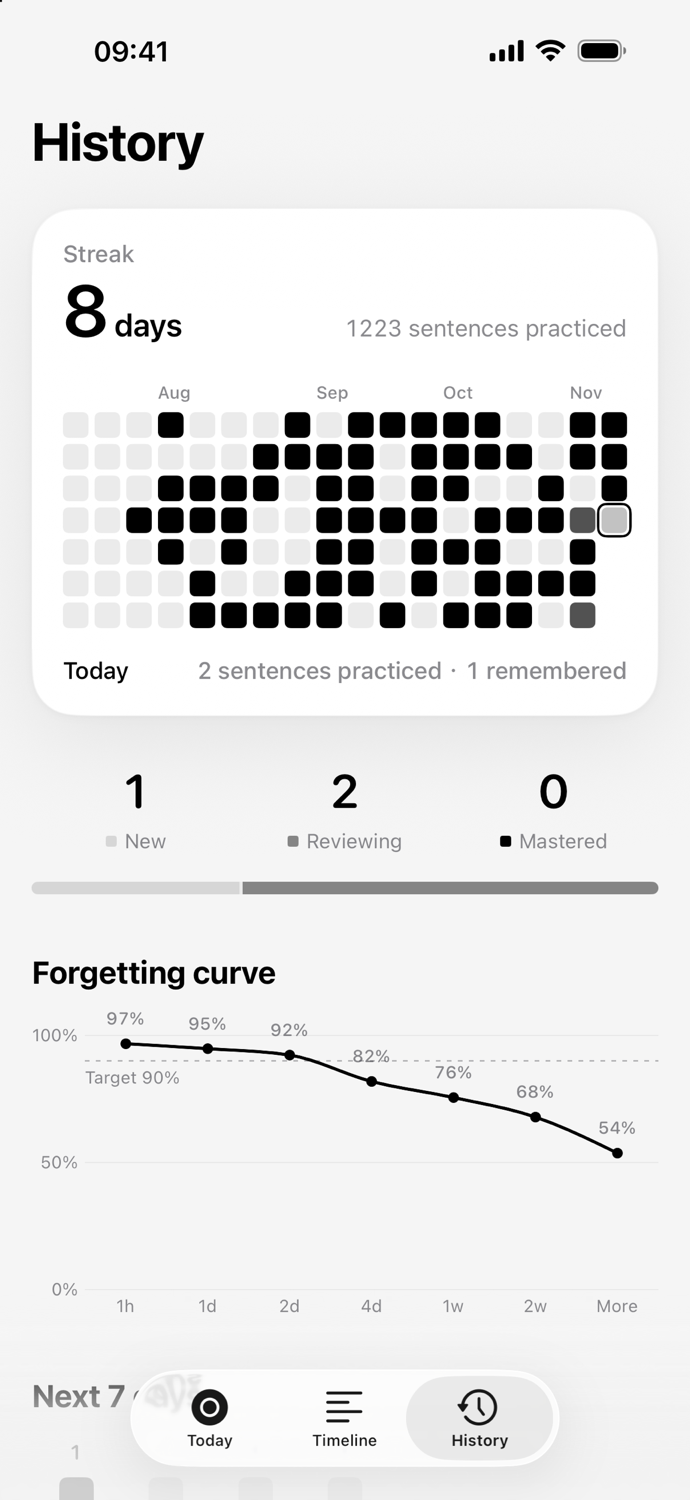
Every day you kept.Your own forgetting curve.

A streak, a grid of the days you practiced, and how well your sentences hold up over time. Target: still remembered at 90%.
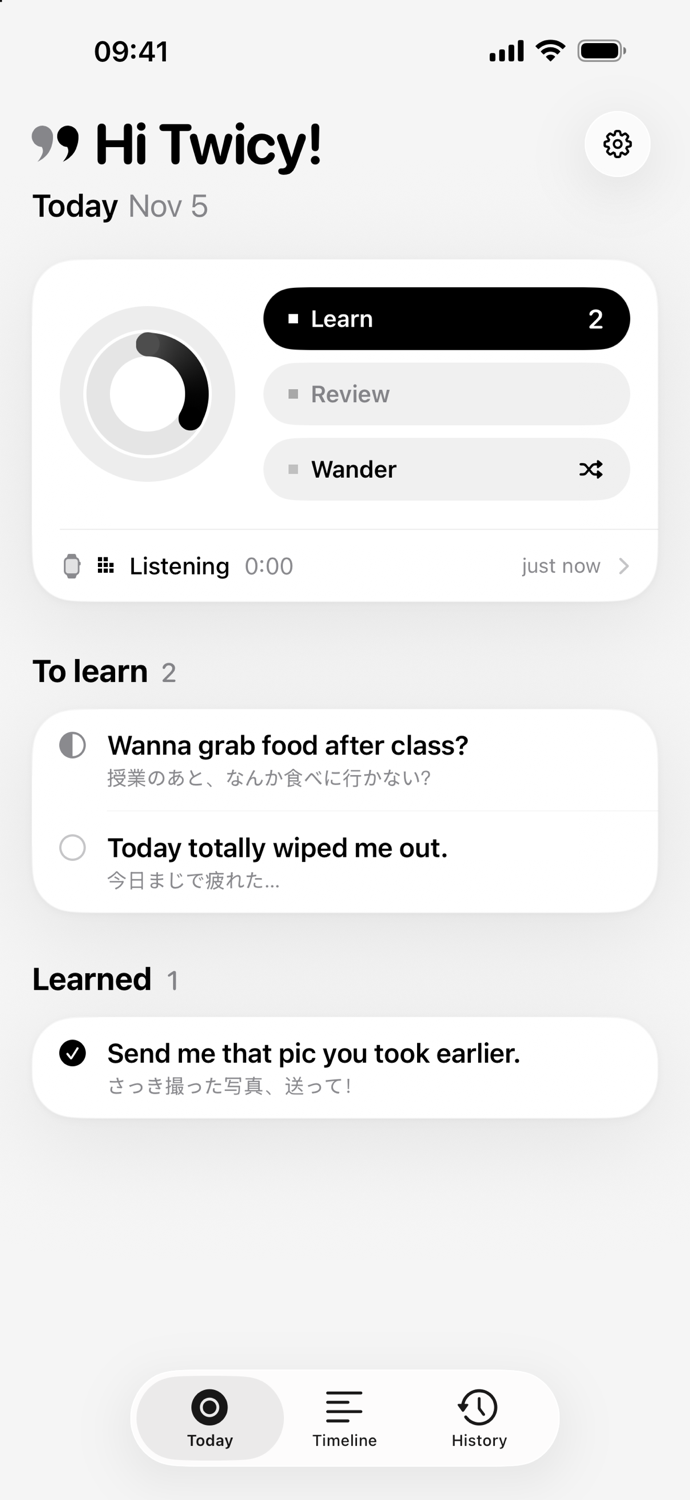
Today screen
✕1/3

12:40 · Lunch

授業のあと、なんか食べに行かない?

Wanna grab food after class?

▶ Hear it
✕1/3

授業のあと、なんか食べに行かない?

✓ 5/5 words
Forgot2 moreUnsure2 moreGot it1 more
Timeline screen History screen

App preview with sample data · Japanese shown; Korean and Chinese (Taiwan) work the same

0102030405

02 / Made for

The moments you have to speak.Your own sentences are the best answers.

IELTS & TOEFL speaking

The speaking test asks about you — your hometown, your work, your weekend. Memorized model answers sound memorized. Your own sentences don't.

“Do you work or study?” — you answered that at lunch.
“Describe a place you like to visit.” — you talked about it on Sunday.

Your next trip abroad

Ordering, asking the way, “sorry, I'm running late.” The things you'll need to say abroad are the things you already say every day — in your own language.

“Could I get this without ice?”
“Is it okay if I sit here?”

What a week sounds like

No two days say the same thing.

Free to start. Pro when you want more.

Free, every day

No account, no sign-in. Every day, Twicy turns 3 of your sentences into English, and Timeline shows the first 10 sentences of each day. The rest stay saved on your iPhone and unlock with Pro.

Twicy Pro

Up to 50 sentences a day (you choose 5–50), your whole Timeline with filters, and English in your style: Natural, Casual, Professional, or IELTS & TOEFL. Yearly with a 3-day free trial — Twicy reminds you the day before it ends — or monthly. Or become a founding member: one payment, Pro forever, for the first 2,000 people only.

What is shared with AI?

Sentence text only — never audio, never your voiceprint. It goes over HTTPS to Twicy's server in Seoul, which passes it to our AI model provider, DeepSeek, and sends the English back. Our server doesn't store or log your sentences. No account, no analytics, no tracking.

Requires an iPhone with iOS 26 and a paired Apple Watch. Prices are shown in the App Store for your region.

Questions.

Do I need an Apple Watch?

Yes — Apple Watch is what hears your day. Without one you can still open Twicy and try the full flow with sample data (Settings → Load sample data), but your own sentences come from the watch.

Which languages does it support?

You learn English. Your own language can be Japanese, Korean, or Chinese (Taiwan). The app itself is in English.

Do I need an account or an AI key?

No. Twicy writes your English with its own AI. There's no account, no sign-in and no key to set up — download it and wear your watch.

Is it recording other people?

Your watch keeps only the parts where someone is speaking. With Voice ID on (the default), Twicy checks each sentence against your voice and drops what other people said. Recording is shown on the watch and you can stop it any time.

Does it work offline?

Listening, transcription, and practice run on your devices. Writing the English needs an internet connection. The first time you use a language, iOS downloads its speech model.

Is it a subscription?

Twicy is free. Twicy Pro is a subscription: yearly with a 3-day free trial, or monthly. Cancel anytime in iPhone Settings › Apple Account › Subscriptions. Rather pay once? Founding members get Pro forever with one payment, for the first 2,000 people only. Prices are shown in the App Store for your region.